Create a Form
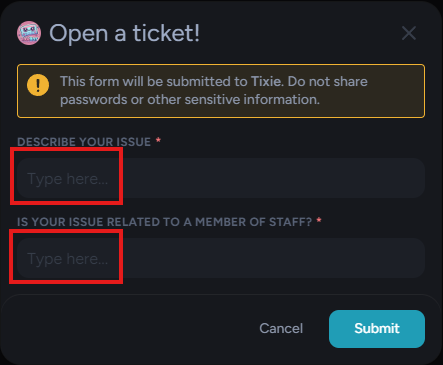
Forms are the modals that have to be filled in by the person openinig a ticket.
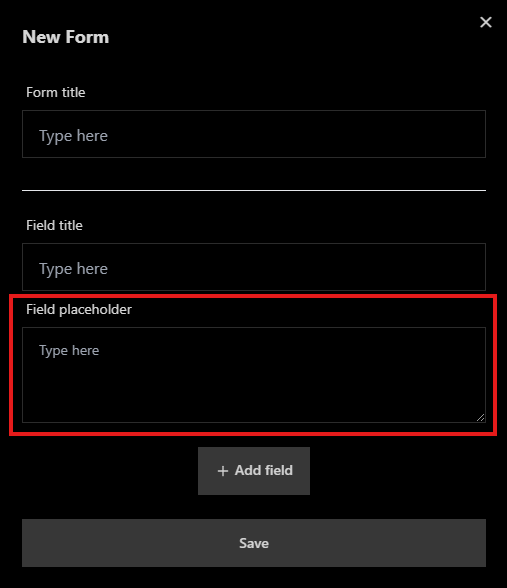
- Form title
- Field title
- Field placeholder
To create a form navigate to Overviews -> Forms and click on the "Create new Form" button.
Form title
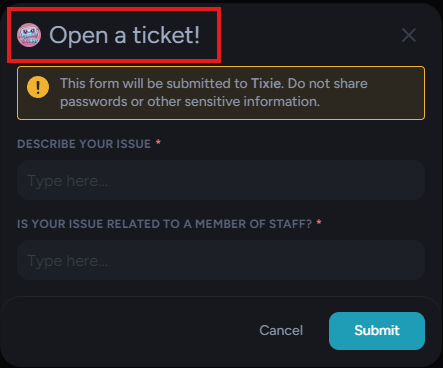
The form title is the title that shows on top of the modal when the user creates a ticket.
Fields
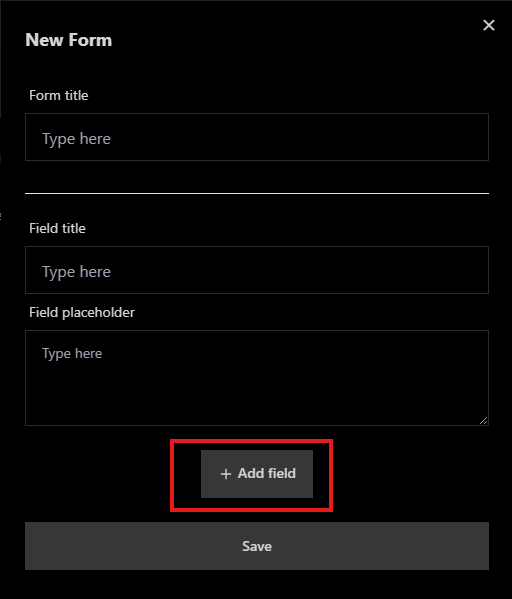
Fields are the questions that have to be anwsered by the person creating a ticket. You can create multiple fields within a form by clicking the "+ Add field" button, a form must have atleast one field.
Field title
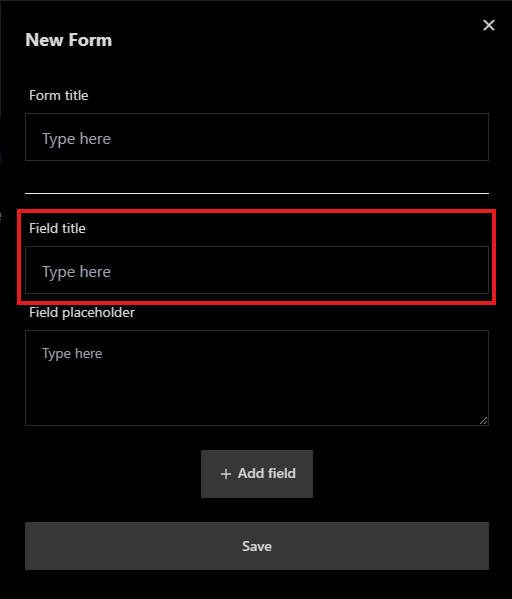
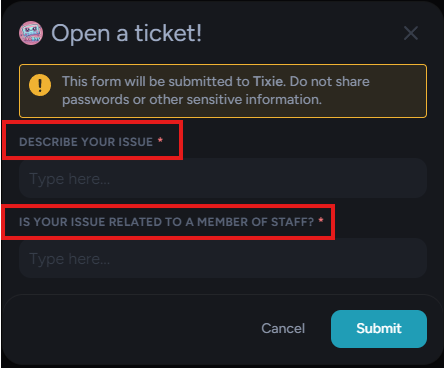
This is the question that the user opening a ticket has to fill out.
Field placeholder
A Field placeholder is whatever shows up in the input box before the user actually has typed in their anwser.
Saving the Form
After having filled in everything for your form you can click the save button. Your form will now show up in the table. This table will house all your forms. Forms can also be edited or deleted.
Deleting a form that is being used in a panel will delete the panel aswell!